Instructions
Top up your balance
Everything is paid from your balance, so start here. Open Balance in the menu, choose or type an amount, and pick a network. You are shown the exact amount to send, including the network fee.
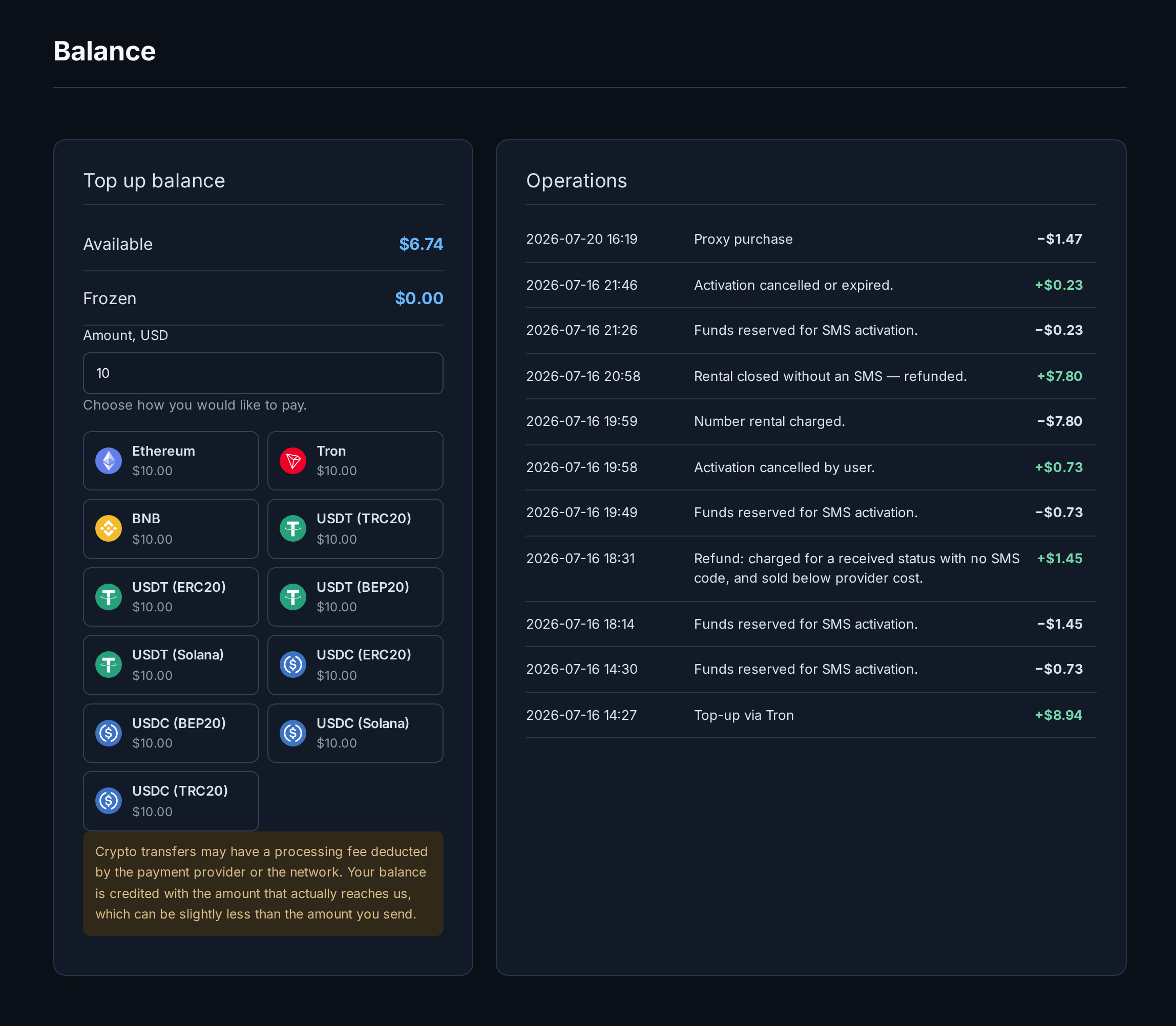
- Enter the amount you want to add.
- Choose a coin and network, the total updates to include the fee.
- Send the shown amount to the address (or scan the QR). Your balance updates automatically once the network confirms the payment; you do not need to send us anything.
You can also top up inside Telegram, without opening the site, see the proxy and SMS sections for connecting the bot.
SMS service: receive a code
Use this to receive a one-time code for a service (Telegram, WhatsApp, Google and so on). You buy a number, the code arrives, and you are done.
Buy a number
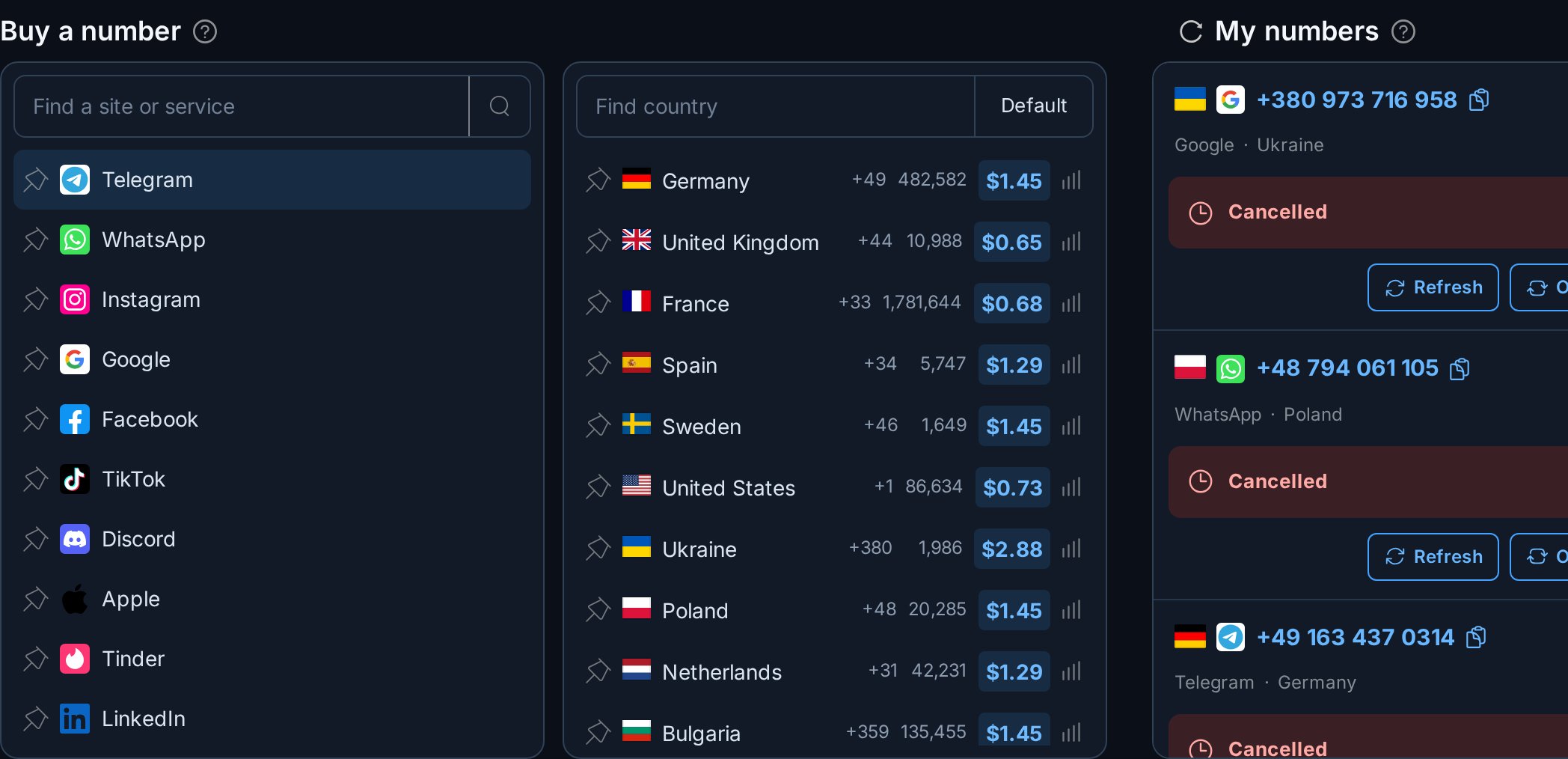
- In the left column, pick the service you need a code for. Use the search if it is a long list.
- In the middle column, pick a country. Each row shows how many numbers are in stock and the price, cheapest first is usually fine.
- The number is bought instantly and appears on the right under My numbers.
The money is held, not spent, at this point. You are only charged once a code actually arrives, so a number that never receives one costs you nothing.
Get the code
- Use the number on the service you are signing into.
- The code appears on the card under My numbers on its own. Press Refresh if you are impatient.
- If you connected Telegram, the code also arrives in your chat the moment it lands.
Cancel a number
Changed your mind, or the code is not coming? Press Cancel on the card (in the screenshot above, two numbers are already Cancelled). The held money is released back to your balance.
One supplier rule to know: a number can only be cancelled about two minutes after purchase. If you try sooner you are asked to wait a moment.
SMS service: rent a number
A rental is a number you keep for hours or days and can receive many messages on, useful when one code is not enough. Unlike an activation, a rental is charged up front, because it is usable the moment you have it.
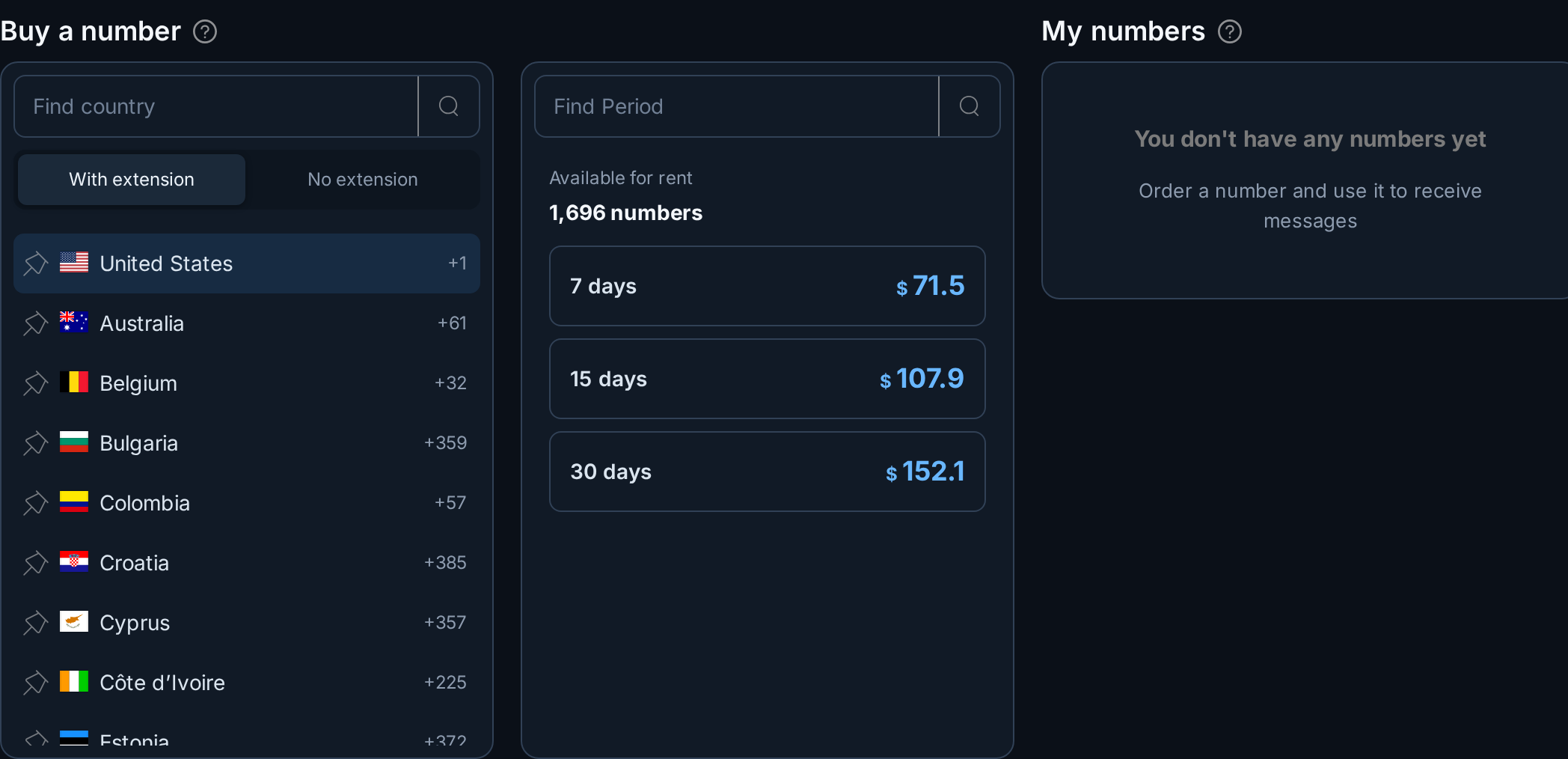
- Open Rent Numbers in the menu.
- Pick a country, then a rental period. The price is shown per period.
- Your rented number appears on the right, with every message it receives listed under it.
- Close it early with Close. If it never received a message, the cost is refunded; a used number is not refundable.
Proxy service: buy and use
The proxy service is separate from SMS. You buy a proxy for a period, get its address and credentials, and paste them into your browser, bot or scraper.
Buy a proxy
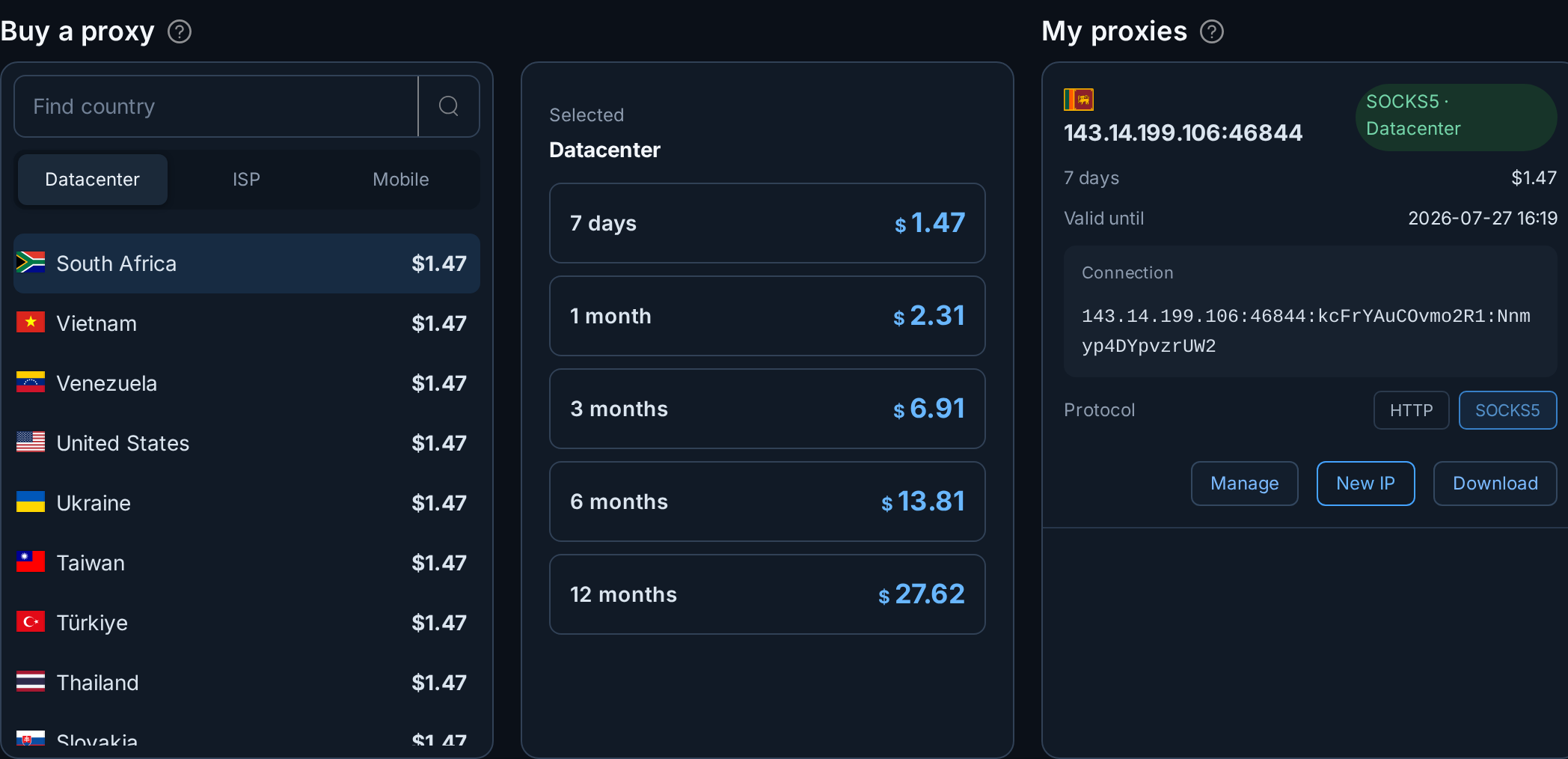
- Open Proxies in the menu.
- Pick a category (for example Datacenter), then a country. Countries from every available supplier are shown, cheapest first.
- Choose a period and confirm. The proxy is ready in seconds and appears under My proxies.
Use and manage it
Open a proxy to see everything about it and control it:

- Copy the connection in whatever format your tool expects,
host:port:login:password, a URL, or a ready-made cURL command, from the Copy in format block. - Switch protocol between HTTP and SOCKS5 with the Change button next to the protocol. The port changes with it.
- Change authentication between a login/password and an IP whitelist.
- Test it from the Health panel, we connect through the proxy and report whether it answered.
- Extend it before it expires to keep the same IP and credentials, or turn on auto-renewal to have it extended automatically (we charge your balance and renew a day before expiry).
- New IP requests a fresh address where the supplier supports it.
Name a proxy at the top if you run several, so you can tell them apart.
Need it in Telegram?
Connect the bot from your profile: you get a code to send it, and after that your SMS codes, order news and payments all work inside the chat, including buying and topping up.